oemdba – blogs about OEM and more

Oracle Enterprise Manager – SYSMAN is my best friend 😉

Blog-Bild

Category: Grid Infrastructure

  • Upgrade Grid Infrastructure 19.28 to 26.1 – Secure Boot Pitfall

    In one of my previous posts , I wrote about the installation of Grid Infrastructure 19c and some issues with the CSSD daemon.
    After fixing those problems, I decided to test an upgrade to Oracle 26ai — focusing solely on the Grid Infrastructure.

    Normally, an upgrade of the Grid Infrastructure is not a big thing, so I went ahead with it.

    Initial upgrade attempt

    First of all, I created all necessary directories for the software and unzipped the binaries into them.
    I started the installer and followed the instructions.
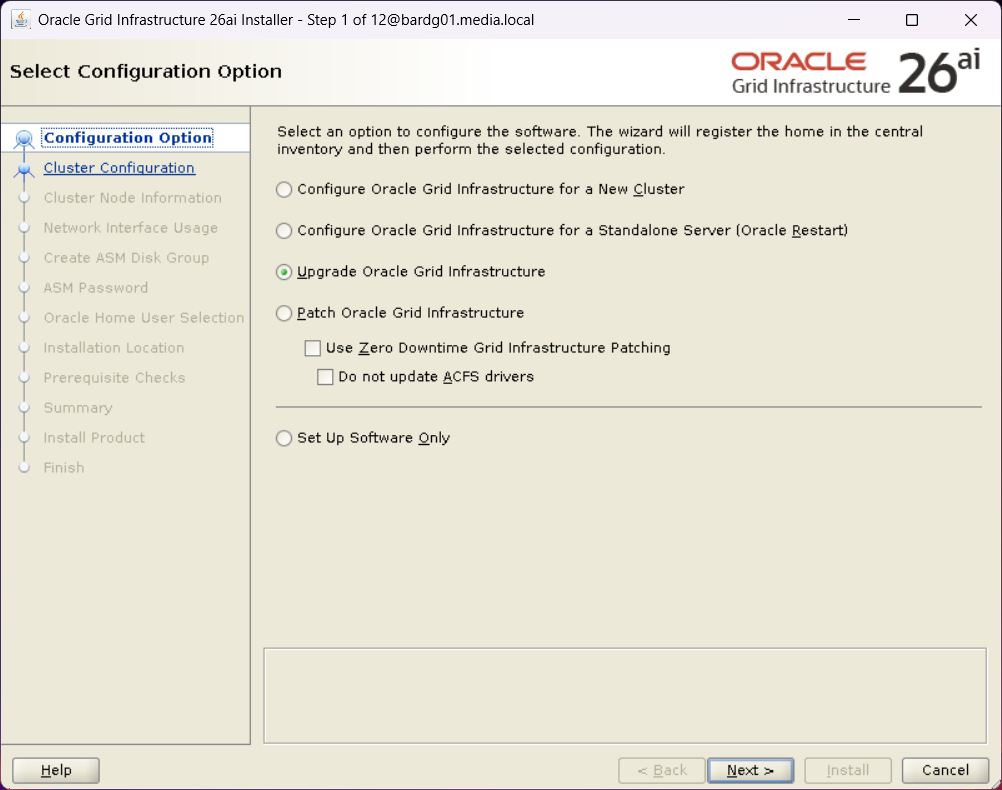
    First step of Oracle Grid Infrastructure 26ai installer with "upgrade Oracle Grid Infrastructure" option selected.
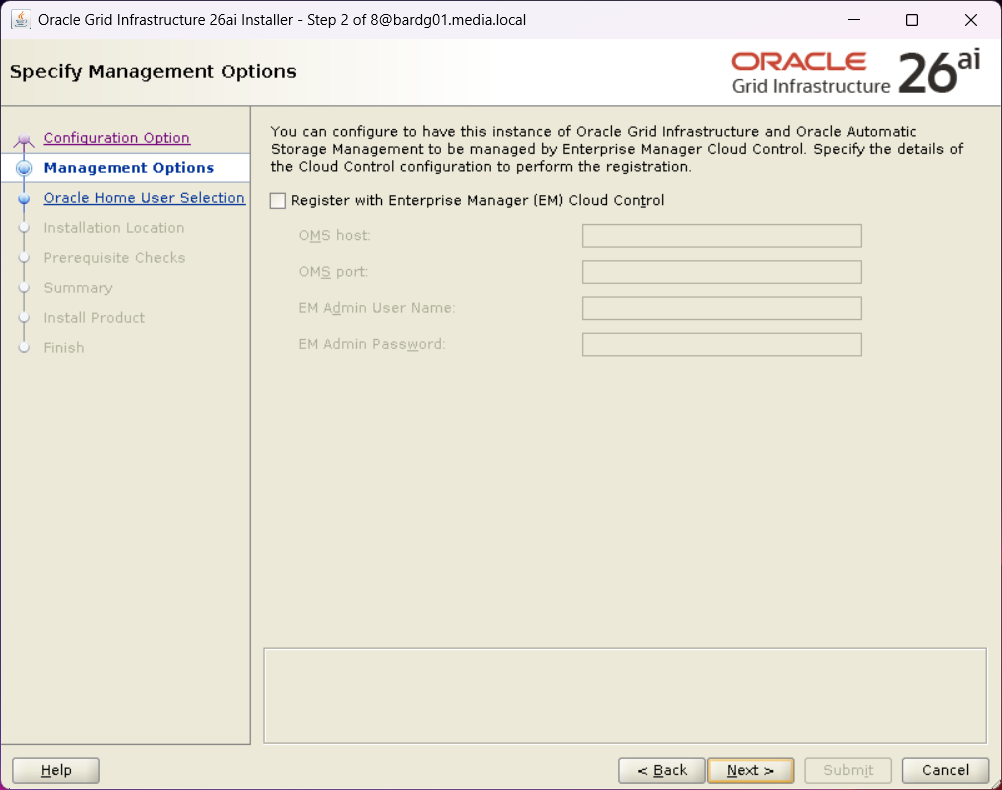
    Second step of Oracle Grid Infrastructure 26ai installer with nothing selected
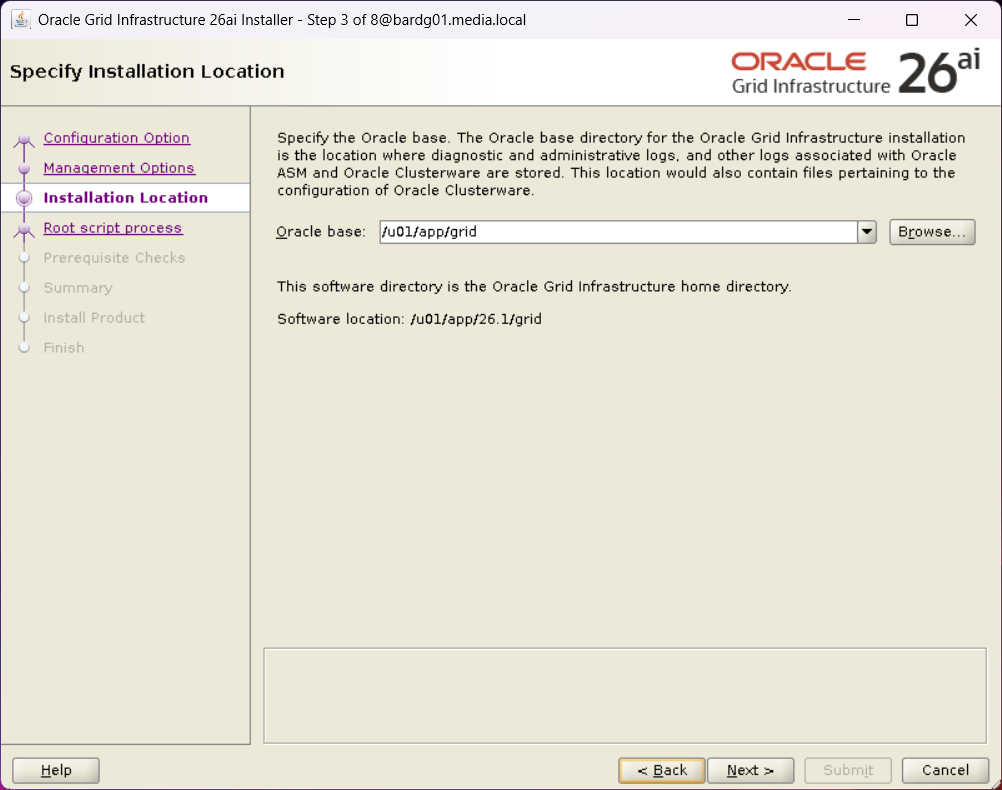
    Step 3 of the Oracle Grid Infrastructure 26ai installer with Oracle Base specified.
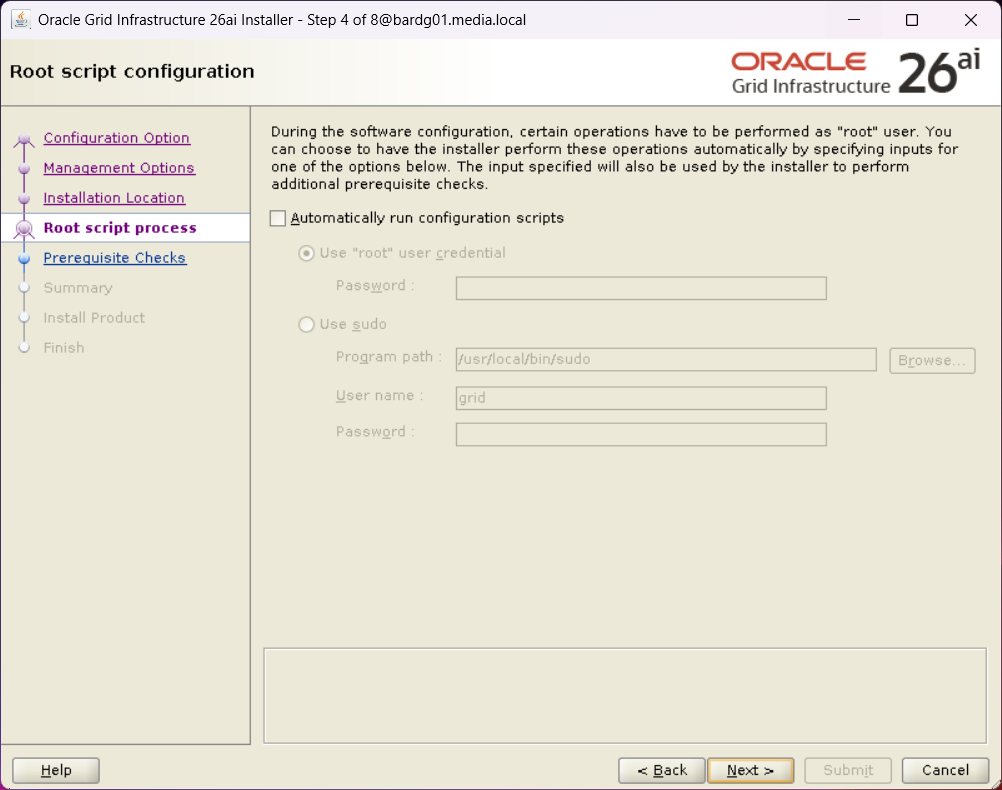
    Step 4 of the Oracle Grid Infrastructure 26ai installer without selection of "Automatically run configuration scripts"
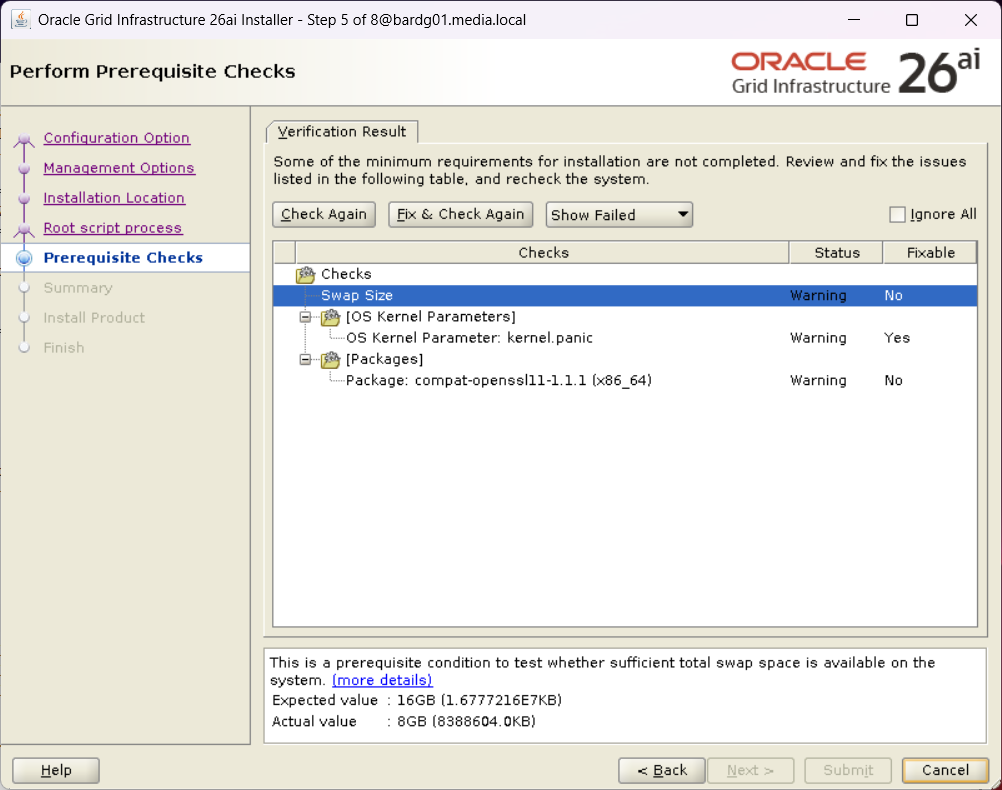
    Step 5 of the Oracle Grid Infrastructure 26ai installer with the results of the prerequisite checks.

    I installed compat-openssl11, and I ignored the other both warning.
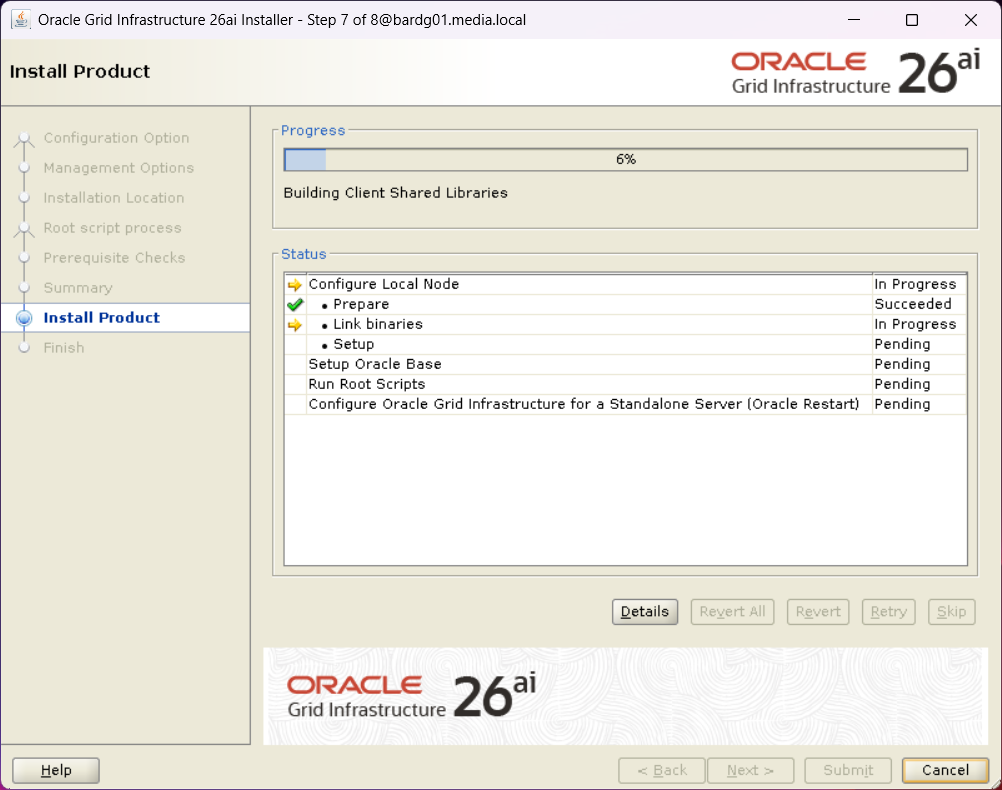
    Step 7 of the Oracle Grid Infrastructure 26ai installer showing the installation progress
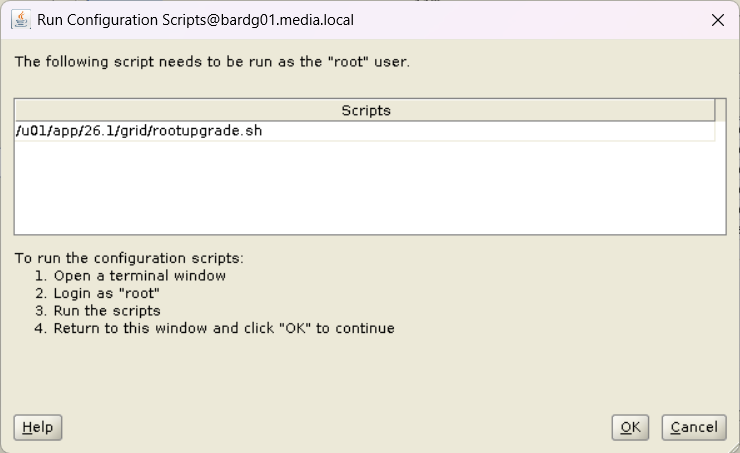
    An important step in he Oracle Grid Infrastructure 26ai installer prompting to run the rootupgrade.sh script

    Nothing unexpected so far, but when I ran rootupgrade.sh as user root, I encountered an error close to the end.

    [root@bardg01 ~]$  /u01/app/26.1/grid/rootupgrade.sh
    Performing root user operation.
    
    The following environment variables are set as:
        ORACLE_OWNER= grid
        ORACLE_HOME=  /u01/app/26.1/grid
    
    Enter the full pathname of the local bin directory: [/usr/local/bin]:
    The contents of "dbhome" have not changed. No need to overwrite.
    The file "oraenv" already exists in /usr/local/bin.  Overwrite it? (y/n)
    [n]:
    The file "coraenv" already exists in /usr/local/bin.  Overwrite it? (y/n)
    [n]:
    
    Entries will be added to the /etc/oratab file as needed by
    Database Configuration Assistant when a database is created
    Finished running generic part of root script.
    Now product-specific root actions will be performed.
    Executing command '/u01/app/26.1/grid/perl/bin/perl -I/u01/app/26.1/grid/perl/lib -I/u01/app/26.1/grid/crs/install /u01/app/26.1/gr                              id/crs/install/roothas.pl  -upgrade'
    Using configuration parameter file: /u01/app/26.1/grid/crs/install/crsconfig_params
    The log of current session can be found at:
      /u01/app/grid/crsdata/bardg01/crsconfig/roothas_2026-04-28_02-52-43PM.log
    2026/04/28 14:52:44 CLSRSC-595: Executing upgrade step 1 of 11: 'UpgPrechecks'.
    acfsutil info fs: ACFS-03036: no mounted ACFS file systems
    2026/04/28 14:52:47 CLSRSC-595: Executing upgrade step 2 of 11: 'GetOldConfig'.
    2026/04/28 14:52:50 CLSRSC-595: Executing upgrade step 3 of 11: 'GenSiteGUIDs'.
    2026/04/28 14:52:50 CLSRSC-595: Executing upgrade step 4 of 11: 'SetupOSD'.
    2026/04/28 14:52:50 CLSRSC-595: Executing upgrade step 5 of 11: 'PreUpgrade'.
    2026/04/28 14:53:02 CLSRSC-595: Executing upgrade step 6 of 11: 'UpgradeOLR'.
    clscfg: EXISTING configuration version 0 detected.
    Creating OCR keys for user 'grid', privgrp 'oinstall'..
    Operation successful.
    2026/04/28 14:53:06 CLSRSC-595: Executing upgrade step 7 of 11: 'UpgradeOCR'.
    LOCAL ONLY MODE
    Successfully accumulated necessary OCR keys.
    Creating OCR keys for user 'root', privgrp 'root'..
    Operation successful.
    CRS-4664: Node bardg01 successfully pinned.
    2026/04/28 14:53:10 CLSRSC-595: Executing upgrade step 8 of 11: 'CreateOHASD'.
    2026/04/28 14:53:11 CLSRSC-595: Executing upgrade step 9 of 11: 'ConfigOHASD'.
    2026/04/28 14:53:19 CLSRSC-329: Replacing Clusterware entries in file 'oracle-ohasd.service'
    2026/04/28 14:53:27 CLSRSC-595: Executing upgrade step 10 of 11: 'UpgradeSIHA'.
    
    bardg01     2026/04/28 14:54:13     /u01/app/grid/crsdata/bardg01/olr/backup_20260428_145413.olr     2107015493
    
    bardg01     2026/04/20 12:35:05     /u01/app/grid/crsdata/bardg01/olr/backup_20260420_123505.olr     1643218082
    2026/04/28 14:54:14 CLSRSC-595: Executing upgrade step 11 of 11: 'InstallACFS'.
    2026/04/28 14:54:37 CLSRSC-400: A system reboot is required to continue installing.
    Died at /u01/app/26.1/grid/crs/install/oraacfs.pm line 3315.

    I was a bit surprised, as ACFS was not in use on this system.

    ACFS driver error during upgrade

    Looking into the log file, I found the following entries:

    (…)
    >  ACFS-9154: Loading 'oracleoks.ko' driver.
    >  ACFS-9176: Entering 'mpr'
    >  ACFS-9177: Return from 'mpr'
    >  ACFS-9109: oracleoks.ko driver failed to load.
    >  ACFS-9178: Return code = USM_FAIL
    >  ACFS-9177: Return from 'ld usm drvs'
    >  ACFS-9428: Failed to load ADVM/ACFS drivers. A system reboot is recommended.
    >  ACFS-9310: ADVM/ACFS installation failed.
    >  ACFS-9178: Return code = USM_REBOOT_RECOMMENDED
    >  ACFS-9176: Entering 'count drivers'
    (…)

    As mentioned before, ACFS was not in use.

    After searching the web and MOS, I found the following MOS note:

    KB122579: [RAC] Root.sh or Postpatch Failed To Load ACFS Driver
    “ACFS-9428: Failed to load ADVM/ACFS drivers”

    Although this system was not an RAC, it is Grid Infrastructure, and the error described there was very similar.

    Two workarounds were mentioned:

    • Disable ACFS
    • Disable Secure Boot

    Disabling ACFS did not help. The error remained the same.

    So I focused on Secure Boot.

    Secure Boot as Root Cause

    [root@bardg01 ~]$  mokutil --sb-state
    SecureBoot enabled

    I disabled Secure Boot:

    [root@bardg01 ~]$  mokutil --disable-validation
    password length: 8~16
    input password:
    input password again:
    [root@bardg01 ~]$  reboot

    During the next boot, Secure Boot must be disabled via the boot menu (see screenshot below).
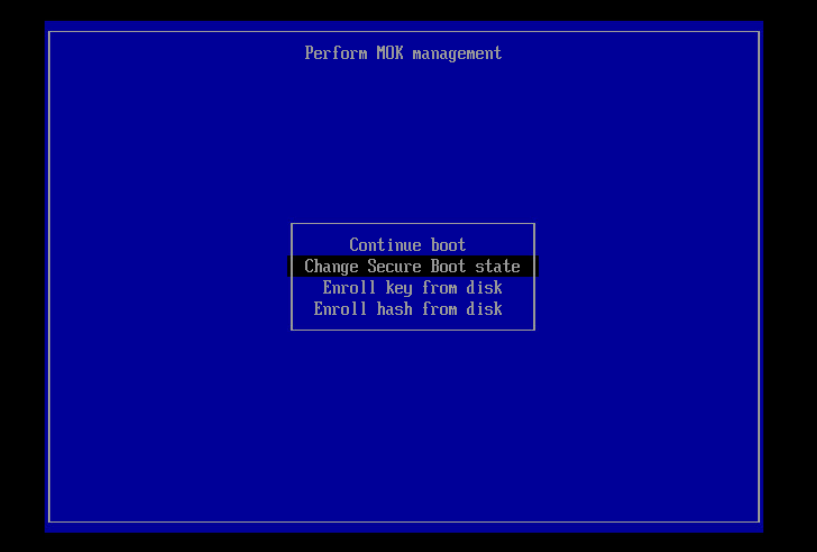
    Disabling the BIOS setting for Secure Boot

    After the reboot, I checked the Secure Boot status again:

    [root@bardg01 ~]$  mokutil --mokutil --sb-state
    SecureBoot enabled
    SecureBoot validation is disabled in shim

    Following the recommendation from the MOS note, I manually loaded the ACFS driver:

    [root@bardg01 ~]$  /u01/app/19.28/grid/bin/acfsload start
    ACFS-9391: Checking for existing ADVM/ACFS installation.
    ACFS-9392: Validating ADVM/ACFS installation files for operating system.
    ACFS-9393: Verifying ASM Administrator setup.
    ACFS-9308: Loading installed ADVM/ACFS drivers.
    ACFS-9325:     Driver OS kernel version = 5.15.0-201.135.6.el9uek.x86_64.
    ACFS-9326:     Driver build number = 250406.
    ACFS-9231:     Driver build version = 19.0.0.0.0 (19.28.0.0.0).
    ACFS-9547:     Driver available build number = 250406.
    ACFS-9232:     Driver available build version = 19.0.0.0.0 (19.28.0.0.0).
    ACFS-9549:     Kernel and command versions.
    Kernel:
        Build version: 19.0.0.0.0
        Build full version: 19.28.0.0.0
        Build hash:    9256567290
        Bug numbers:   NoTransactionInformation
    Commands:
        Build version: 19.0.0.0.0
        Build full version: 19.28.0.0.0
        Build hash:    9256567290
        Bug numbers:   NoTransactionInformation
    ACFS-9327: Verifying ADVM/ACFS devices.
    ACFS-9156: Detecting control device '/dev/asm/.asm_ctl_spec'.
    ACFS-9156: Detecting control device '/dev/ofsctl'.
    ACFS-9294: updating file /etc/sysconfig/oracledrivers.conf
    ACFS-9322: completed

    The driver was loaded successfully:

    [root@bardg01 ~]$  /u01/app/19.28/grid/bin/acfsdriverstate loaded
    ACFS-9203: true

    After that, I started the installer again and reran rootupgrade.sh.

    [root@bardg01 ~]$  /u01/app/26.1/grid/rootupgrade.sh

    This time, the script completed successfully.

    (...)
    2026/04/30 11:35:27 CLSRSC-595: Executing upgrade step 11 of 11: 'InstallACFS'.
    2026/04/30 11:36:02 CLSRSC-327: Successfully configured Oracle Restart for a standalone server

    I then re-enabled Secure Boot:

    [root@bardg01 ~]$  mokutil --enable-validation
    password length: 8~16
    input password:
    input password again:
    [root@bardg01 ~]$  reboot

    After the reboot, Grid Infrastructure started normally.

    grid@bardg01 ~> which crsctl
    /u01/app/26.1/grid/bin/crsctl
    grid@bardg01 ~> crsctl stat res -t
    --------------------------------------------------------------------------------
    Name           Target  State        Server                   State details
    --------------------------------------------------------------------------------
    Local Resources
    --------------------------------------------------------------------------------
    ora.LISTENER.lsnr
                   ONLINE  ONLINE       bardg01                  STABLE
    ora.ons
                   OFFLINE OFFLINE      bardg01                  STABLE
    --------------------------------------------------------------------------------
    Cluster Resources
    --------------------------------------------------------------------------------
    ora.cssd
          1        ONLINE  ONLINE       bardg01                  STABLE
    ora.demodb_bardg01.db
          1        ONLINE  ONLINE       bardg01                  Open,HOME=/u01/app/o
                                                                 racle/product/19.28/
                                                                 db_home1,STABLE
    ora.diskmon
          1        OFFLINE OFFLINE                               STABLE
    ora.evmd
          1        ONLINE  ONLINE       bardg01                  STABLE
    --------------------------------------------------------------------------------
    grid@bardg02 ~> crsctl query has releaseversion
    Oracle High Availability Services release version on the local node is [23.0.0.0.0]

    Lessons Learned

    However, this approach is obviously not suitable for customers, and certainly not for a production environment.

    I discussed this issue with a colleague, and he asked the right question:
    Which OS version are you using?

    The system was running Oracle Linux 9.4.

    After upgrading the OS to Oracle Linux 9.7, the upgrade from 19c to 26ai completed successfully without any errors.

    And what can I say? In the end, it wasn’t a Grid Infrastructure issue at all, but yet another reminder that patching the OS actually matters.

    Mike Dietrich is absolutely right when he says: patch, patch, patch
    (Patch your databases against AI-enabled cybersecurity threats)
  • PRCD‑1024 and PRCR‑1055 After Creating a Standby Database with Oracle Restart

    In preparation for my presentation at the DOAG Database with Cloud Infrastructure (#DOAGDB26) conference, I built a small Data Guard test environment and created the standby database using Oracle Enterprise Manager (OEM).

    After creating a physical standby database via Oracle Enterprise Manager and registering it with Oracle Restart, srvctl commands failed with:

    PRCD-1024 : Failed to retrieve instance list for database DEMODB_BARDG02
    PRCR-1055 : Cluster membership check failed for node bardg02

    The setup of my environment was done as follows:

    1. Created a virtual machine named bardg01
    2. Installed Oracle Enterprise Linux 9.4
    3. Copied the gold images for:
      Oracle Grid Infrastructure 19.28
      Oracle Database 19.28
    4. Unzipped both into their respective directories
    5. Installed the required oracle-database-preinstall-* packages
    6. Configured the grid user

    After that, I cloned the VM, adjusted the network configuration, and two identical systems were available:

    • bardg01
    • bardg02

    Grid Infrastructure and Database Installation

    bardg01

    On bardg01, I installed Oracle Grid Infrastructure for Standalone Server (Oracle Restart) without ASM.

    I performed a software‑only installation and configured Oracle Restart afterwards.
    The installation completed without issues.

    After that, I installed the RDBMS software and created a database using DBCA.
    Everything worked as expected.

    bardg02

    On bardg02, I repeated the same Grid Infrastructure and RDBMS installation steps.
    At this stage, I did not create a database.

    Creating the Standby Database with OEM

    After installing the OEM agents on both hosts, I created a physical standby database via OEM.

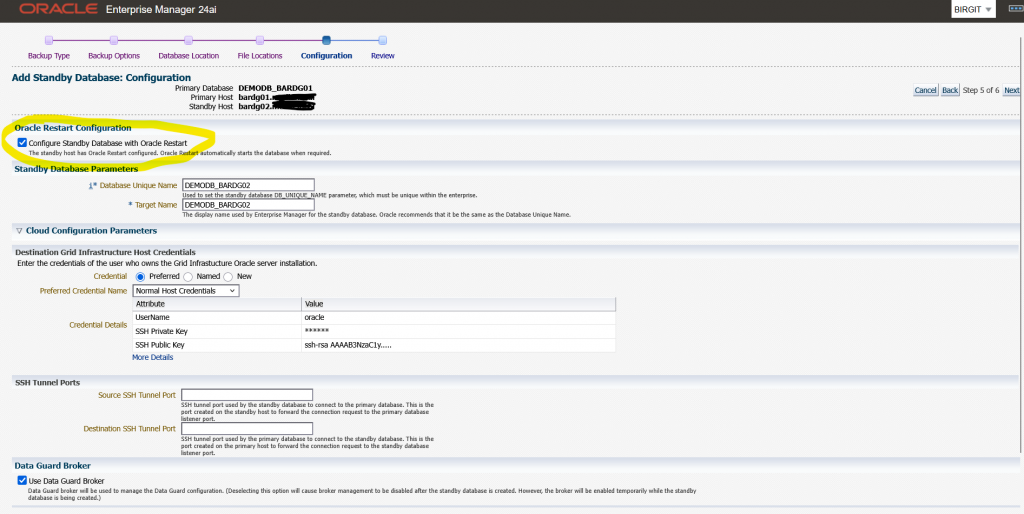
    During the wizard I selected the option to “Configure Standby Database with Oracle Restart”
    See the image below:

    The OEM job finished successfully.
    However, after reviewing the environment, I noticed that:

    • The standby database was registered with Oracle Restart
    • The database itself was running, but was shown as offline
    grid@bardg02 ~> crsctl stat res -t
    --------------------------------------------------------------------------------
    Name           Target  State        Server                   State details
    --------------------------------------------------------------------------------
    Local Resources
    --------------------------------------------------------------------------------
    ora.LISTENER.lsnr
                   ONLINE  ONLINE       bardg02                  STABLE
    ora.ons
                   OFFLINE OFFLINE      bardg02                  STABLE
    --------------------------------------------------------------------------------
    Cluster Resources
    --------------------------------------------------------------------------------
    ora.cssd
          1        OFFLINE OFFLINE                               STABLE
    ora.demodb_bardg02.db
          1        OFFLINE OFFLINE                               STABLE
    ora.diskmon
          1        OFFLINE OFFLINE                               STABLE
    ora.evmd
          1        ONLINE  ONLINE       bardg02                  STABLE
    --------------------------------------------------------------------------------

    At this point, I simply wanted to check the status of the standby database.

    oracle@bardg02 ~> . oraenv
    ORACLE_SID = [DEMODB] ? DEMODB
    The Oracle base remains unchanged with value /u01/app/oracle
    oracle@bardg02 ~> srvctl status database -db demodb_bardg02
    PRCD-1024 : Failed to retrieve instance list for database DEMODB_BARDG02
    PRCR-1055 : Cluster membership check failed for node bardg02

    In my environment, every srvctl command on this host resulted in the same error combination.
    On my primary host bardg01 every srvctl command was successful.

    At this point, I verified a few things:

    • The Grid Infrastructure installation had completed without errors
    • I had not manually changed the CSSD configuration
    • On both hosts, cssd was OFFLINE

    I searched online and in MOS and came to the conclusion that this error pair is typically triggered by cluster membership checks performed by srvctl, even in Oracle Restart setups without ASM.

    Starting CSSD

    My next test was to start CSSD, and I configured it to start automatically after reboot.

    grid@bardg02 ~> crsctl modify resource ora.cssd -attr "AUTO_START=always" -unsupported
    grid@bardg02 ~> crsctl start res ora.cssd -unsupported
    grid@bardg02 ~> crsctl stop has
    CRS-2791: Starting shutdown of Oracle High Availability Services-managed resources on 'bardg02'
    CRS-2673: Attempting to stop 'ora.LISTENER.lsnr' on 'bardg02'
    CRS-2677: Stop of 'ora.LISTENER.lsnr' on 'bardg02' succeeded
    CRS-2673: Attempting to stop 'ora.evmd' on 'bardg02'
    CRS-2677: Stop of 'ora.evmd' on 'bardg02' succeeded
    CRS-2793: Shutdown of Oracle High Availability Services-managed resources on 'bardg02' has completed
    CRS-4133: Oracle High Availability Services has been stopped.
    
    grid@bardg02 ~> crsctl start has
    CRS-4123: Oracle High Availability Services has been started.
    
    grid@bardg02 ~> crsctl stat res -t
    --------------------------------------------------------------------------------
    Name           Target  State        Server                   State details
    --------------------------------------------------------------------------------
    Local Resources
    --------------------------------------------------------------------------------
    ora.LISTENER.lsnr
                   ONLINE  ONLINE       bardg02                  STABLE
    ora.ons
                   OFFLINE OFFLINE      bardg02                  STABLE
    --------------------------------------------------------------------------------
    Cluster Resources
    --------------------------------------------------------------------------------
    ora.cssd
          1        ONLINE  ONLINE       bardg02                  STABLE
    ora.demodb_bardg02.db
          1        ONLINE  INTERMEDIATE bardg02                  Mounted (Closed),HOM
                                                                 E=/u01/app/oracle/pr
                                                                 oduct/19.28/db_home1
                                                                 ,STABLE
    ora.diskmon
          1        OFFLINE OFFLINE                               STABLE
    ora.evmd
          1        ONLINE  ONLINE       bardg02                  STABLE
    --------------------------------------------------------------------------------

    After that I retried the srvctl command:

    oracle@bardg02 ~> srvctl status database -db DEMODB_BARDG02
    Database is running.

    Attribute HOSTING_MEMBERS

    To better understand the behaviour, I ran some additional tests with the database resource attribute HOSTING_MEMBERS.

    grid@bardg02 ~> crsctl modify resource "ora.demodb_bardg02.db" -attr "HOSTING_MEMBERS=" -unsupported
    grid@bardg02 ~> crsctl stat res ora.demodb_bardg02.db -f |grep HOSTING_
    HOSTING_MEMBERS=

    All srvctl commands ran successfully

    oracle@bardg02 ~> srvctl status database -db DEMODB_BARDG02
    Database is running.
    oracle@bardg02 ~> srvctl stop database -db DEMODB_BARDG02
    oracle@bardg02 ~> srvctl status database -db DEMODB_BARDG02
    Database is not running.
    oracle@bardg02 ~> srvctl start database -db DEMODB_BARDG02
    oracle@bardg02 ~> srvctl status database -db DEMODB_BARDG02
    Database is running.

    With this configuration the database could be managed even when cssd was OFFLINE.

    Next test:

    1. HOSTING_MEMBERS=bardg02
    2. cssd = OFFLINE

    All srvctl commands failed again with:

    PRCD-1024 : Failed to retrieve instance list for database demodb_bardg02
    PRCR-1055 : Cluster membership check failed for node bardg02

    Next test:

    1. HOSTING_MEMBERS=bardg02
    2. cssd = ONLINE

    All srvctl commands ran successfully

    Conclusion

    Based on my tests, I can conclude the following:

    • After installing Grid Infrastructure for a standalone server, cssd may initially be OFFLINE
    • Databases created with DBCA work without issues
    • Databases added later (for example via OEM Data Guard) can fail with PRCD‑1024 / PRCR‑1055 if cssd is not running
    • When HOSTING_MEMBERS is used, srvctl clearly relies on cssd, even in Oracle Restart setups without ASM.

    Recommendation

    From my perspective, there are two possible options:

    1. Start and enable CSSD
      • Ensure cssd starts automatically after reboot
      • This is the recommended and clean solution
    2. Remove HOSTING_MEMBERS from the database resource
      • This works technically
      • However, it relies on unsupported configuration changes

    My recommendation:
    After installing Oracle Grid Infrastructure for a standalone server, always verify that CSSD is online and configured to start automatically.

    Hope that helps!